Introduction
Your Google Business Profile is the most important local marketing asset you own, and most businesses barely scratch the surface of what it can do. A fully optimized profile does not just appear in search results. It appears in the map pack, the local finder, Google Maps, and voice search results.
This checklist covers every element of Google Business Profile optimization, explained clearly so you can implement each step without technical expertise.
Why This Topic Matters for Your Business
When someone searches for a service in your area, Google shows a map pack above the regular search results. The map pack displays three businesses with their name, rating, reviews, address, hours, and a brief description. This prime real estate captures a disproportionate share of clicks and calls.
For businesses that serve local customers, no other single action delivers more immediate impact than fully optimizing their Google Business Profile.
Core Concepts
### Complete Every Field
Google rewards completeness. Every field you fill in gives Google more information about your business and more reasons to show your profile to potential customers.
Start with the basics: your exact business name as it appears on your signboard, your complete address including landmark details, your primary phone number, and your business hours. Then go further: add your business category, secondary categories, service areas, and a detailed business description.
The business description is your chance to communicate what you do and why you are different. Write 750 characters covering your core services, location, years of experience, and what makes you stand out.
### Photos That Build Trust
Businesses with photos receive 42% more direction requests and 35% more website clicks than businesses without photos. Upload at least 20 photos: exterior shots from multiple angles, interior photos, team photos, product or service photos, and logo and cover photos.
Quality matters. Use well-lit, sharp photos taken with a modern smartphone. Update your photos at least once a month.
### Reviews Are Your Most Powerful Signal
Google reviews are one of the strongest local ranking signals. Build a consistent review generation process. Ask satisfied customers to leave a review immediately after a successful transaction. Provide them with a direct link to your Google review page.
Equally important: respond to every review. Thank positive reviewers by name. For negative reviews, respond professionally, acknowledge the issue, and offer to resolve it offline. Potential customers read your responses as much as the reviews themselves.
### Posts, Products, and Services
Google Business Profile lets you publish posts, list products, and describe services. Most businesses ignore these features.
Post weekly updates about special offers, new services, or upcoming events. Each post should include a photo and a call-to-action button. List your services with detailed descriptions and pricing where appropriate.
Practical Business Examples
A dental clinic that had an unclaimed Google Business Profile with no photos, no reviews, and no description was essentially invisible in local search. After completing their profile with professional photos, requesting reviews, adding services, and posting weekly dental health tips, they appeared in the map pack within six weeks.
A restaurant added professional food photography, updated their menu as a product listing, posted weekly specials, and responded to every review. Their profile views increased by 200% and they reported a noticeable increase in walk-in customers who found them on Google.
Common Mistakes
Using a business name that does not match your official name. Adding keywords to your business name violates Google guidelines and can result in profile suspension.
Ignoring negative reviews. Not responding to a negative review signals that you do not care about feedback.
Inconsistent information across the web. If your address on your website differs from your Google Business Profile, Google becomes uncertain about your location accuracy.
Infrequent updates. A profile with its last post from eight months ago signals an inactive business.
Best Practices
Verify your profile immediately. If your profile is not verified, you cannot control the information Google displays.
Use Google Posts strategically. Post weekly with clear offers, updates, or information. Include a call-to-action button and a relevant photo.
Monitor your profile for accuracy. Regularly review your profile to ensure all information is accurate.
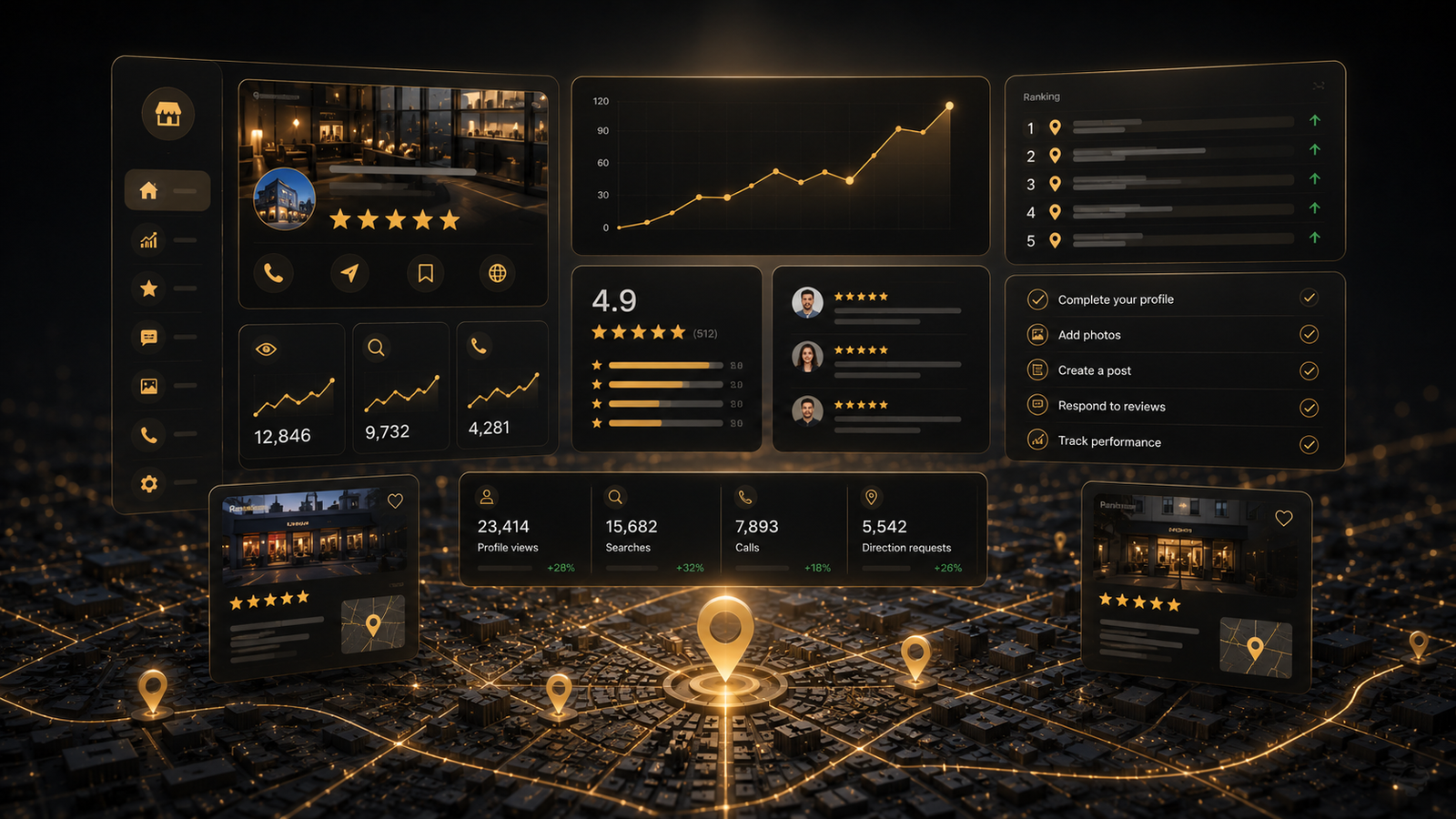
Track profile performance. Google Business Profile Insights shows how many people found your profile, requested directions, called you, or visited your website.
Add FAQ answers. Pre-populate common questions to control the narrative and reduce repetitive enquiries.
Step-by-Step Framework
Day 1: Claim and Verify
- Search for your business on Google Maps.
- If a profile exists, claim it. If not, create a new one.
- Initiate the verification process immediately.
Week 1: Complete Your Profile
- Fill in every field with accurate information.
- Write a comprehensive business description.
- Upload your logo and cover photo.
Week 2: Photos and Visual Content
- Upload at least 20 high-quality photos.
- Ensure all photos accurately represent your business.
Week 3: Reviews and Posts
- Send review requests to your five most recent satisfied customers.
- Respond to all existing reviews.
- Publish your first Google Post.
- Add your services with descriptions.
Ongoing: Monthly Maintenance
- Upload new photos monthly.
- Publish two to four Google Posts per month.
- Respond to all new reviews within 24 hours.
- Review Insights for performance trends.
Actionable Checklist
- Google Business Profile claimed and verified
- Every field completed with accurate, current information
- Business description written with natural keyword usage
- At least 20 high-quality photos uploaded
- Logo and cover photo set
- Review generation process established
- All existing reviews responded to
- Services listed with detailed descriptions
- Google Posts published weekly with call-to-action
- Business hours updated for holidays
- Profile Insights reviewed monthly
- FAQ questions pre-populated
Key Takeaways
Google Business Profile optimization is the highest-impact, lowest-cost marketing activity for any local business. A fully optimized profile with complete information, quality photos, regular posts, and active review management will outperform competitors who neglect these fundamentals.
Start with verification and completeness, then layer in photos, reviews, and posts. Within six to eight weeks, most businesses see measurable improvement in local search visibility.